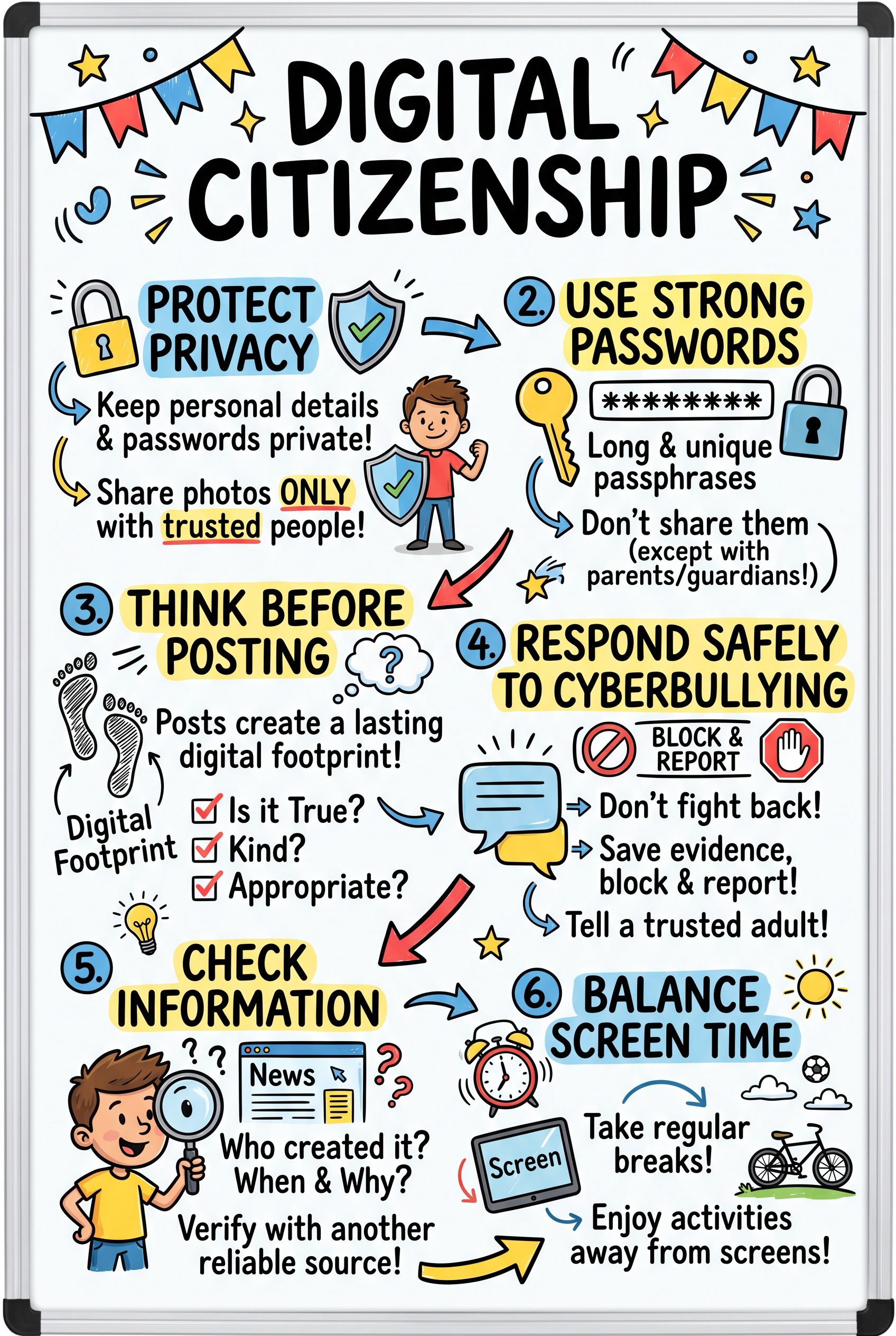
Digital citizenship means using technology safely, respectfully, and responsibly. This sketchnote covers six habits that help students be safe, kind, and smart online.
What’s on this sketchnote
1. Protect your personal information
- Keep your full name, home address, school, phone number, and passwords private.
- Only share photos with people you know and trust.
2. Use strong passwords
- Long passphrases are harder to guess.
- Use a different password for each account. Never share them, except with a parent or guardian.
3. Think before you post
- Your digital footprint is everything you post, share, or like.
- Posts can be copied and saved, even after you delete them.
- Ask yourself: Is it true? Is it kind? Would I be OK with a teacher or family member seeing it?
4. Stand up to cyberbullying
- Don’t respond or retaliate.
- Save the evidence with screenshots.
- Block the person and report it.
- Tell a trusted adult.
5. Check before you share
- Who made it? When? Why?
- Can you find the same information on another reliable source?
6. Balance your screen time
Take breaks and make time for activities away from screens.
Key vocabulary
- Digital footprint: the record of everything you do online.
- Cyberbullying: using technology to hurt, threaten, or embarrass someone.
- Personal information: details that could identify you or help someone find you.
Use it in class
- Read short scenarios aloud and ask students which panel of the sketchnote applies.
- Have students write three “think before you post” questions of their own and add them to the class version.
- Practice checking a viral claim together using the questions in panel 5.
Check for understanding
- A classmate receives mean messages in a group chat. What should they do? Not reply, take screenshots, block and report the sender, and tell a trusted adult.
- Why can’t you rely on deleting a post to remove it? Others may already have copied, shared, or saved it.