Explain a technical topic
A visual overview of the Go Agent Development Kit for a technical lesson or presentation.
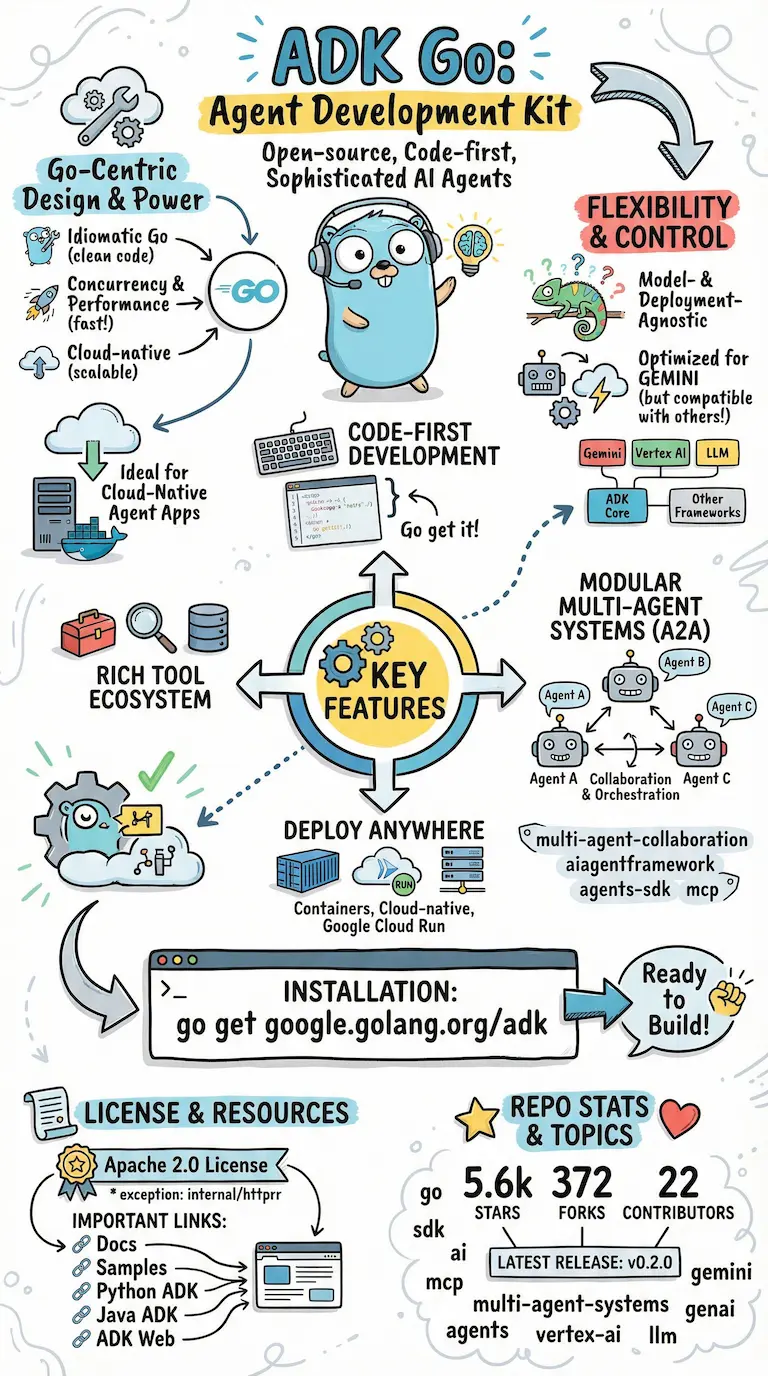
Open the example at full size.
For lessons, workshops, and the ideas you teach
Turn notes, articles, and transcripts into visual takeaways with our AI sketchnote generator. Give your students or workshop participants a sketchnote they can revisit and share. No drawing skills needed.
Join the Sketchnote community of 4,000+ people.
Try generating for free. Purchase a credit pack to unlock all PNG downloads.
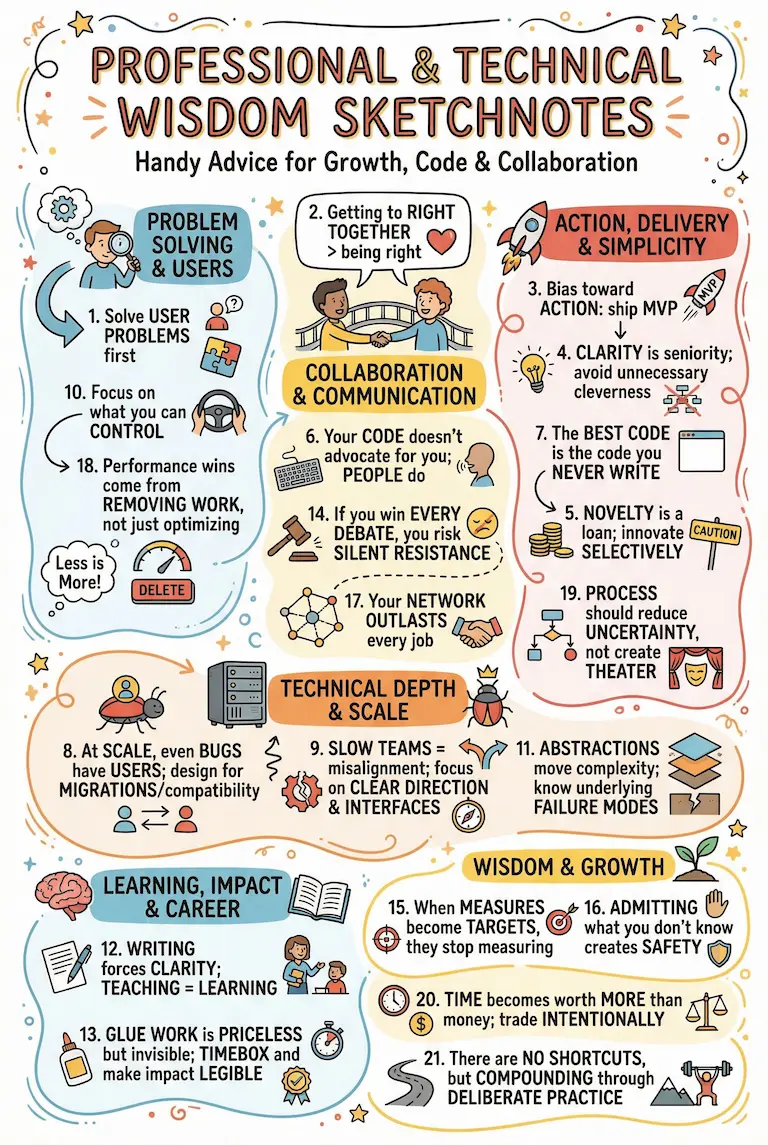
See what you can make
Keep the main ideas together in a sketchnote you can add to a lesson, print as a handout, or share after a session.
An example teaching brief
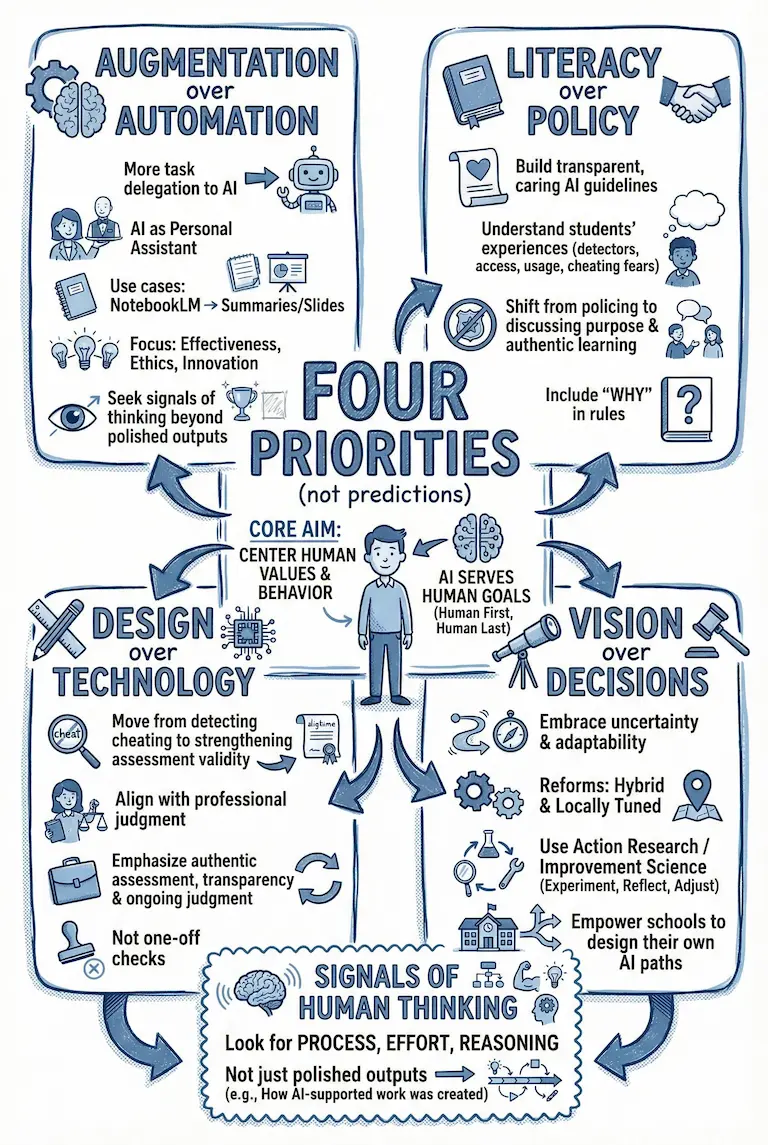
Help educators discuss four priorities for using AI in their schools:
Keep human values at the center. Look for effort, reasoning, and process as well as the final output.
Illustrative brief based on the example sketch, not its original source.
Use a visual recap alongside your session notes. Review the generated content, then download a PNG for your slides or participant handout.
A visual overview of the Go Agent Development Kit for a technical lesson or presentation.
Open the example at full size.
New to visual note-taking? Read our guide: What are sketchnotes?
How it works
Sketchnote.app turns a wall of information into something clear, memorable, and ready to pass on. Follow the 3 steps below.
Drop in dense material and get a visual map that makes the key connections feel obvious.

Paste your lesson notes, an article URL, or a transcript. Short sources usually generate in a couple of minutes.
Check the key ideas and wording. Refine the sketch before sharing it with your students or participants.
Download a PNG for your presentation, print it as a handout, or share it after the workshop. Purchase a credit pack to unlock all downloads.
Your sketches, sources, and exports stay together in one calm, searchable library.
Use Cases
Start with a lesson or workshop. You can also use SketchNote to explain a strategy or recap a product discussion.
Turn lesson plans and lecture transcripts into visual recaps students can revisit after class. Use them in slides, study guides, or printed handouts.
The one-time pack includes up to 240 image generations for $99.99 USD, valid for 12 months. View pricing.

Answers to common questions so you know exactly what to expect before you get started. Find answers to 8 common questions below.
New accounts receive 3 free credits for 2K generation. Starter costs $9/month for up to 20 image generations. Pro costs $19/month for up to 60. Annual billing is $90 or $190, with monthly allowances. A one-time pack costs $99.99 for up to 240 images, valid for 12 months.
Paste your notes, lesson outline, or transcript into the text input, or enter a webpage or YouTube video URL. Use material you have permission to share and check the generated sketch against your source.
No. SketchNote generates the visual from your source material. Review the wording and connections, then request edits or regenerate the sketch if it needs changes.
A new sketchnote at 2K uses 1 credit; 4K uses 2 credits. Regenerations use the same allowance. Unused subscription allowances expire at each monthly refresh; packs expire 12 months after purchase. Existing purchases retain their original terms. Your dashboard shows your available balance and credit expiry dates.
Short articles usually render in a couple of minutes. Longer transcripts may take a little more time, and you receive an email notification when they finish.
SketchNote exports PNG images. Choose a paid subscription or image pack to unlock PNG downloads for slides, handouts, and sharing.
Your sketchnotes are saved in your personal library so you can review them, request changes, or return to the source material later.
For classroom, workshop, or nonprofit requirements, contact [email protected] to discuss credit packs and onboarding for your group.
Bring your own lesson notes or workshop material. Use your free credits to create a visual recap and see how it fits your next session.
Create my first sketchnoteStarter includes up to 20 image generations for $9/month, or $90/year with a monthly allowance. A one-time pack costs $99.99 and is valid for 12 months. Compare plans and packs.